Usage notice: This product does not support direct use within mainland China's network environment. Please make sure you have your own working overseas network environment. No refunds will be issued for failures caused by an incompatible network environment.
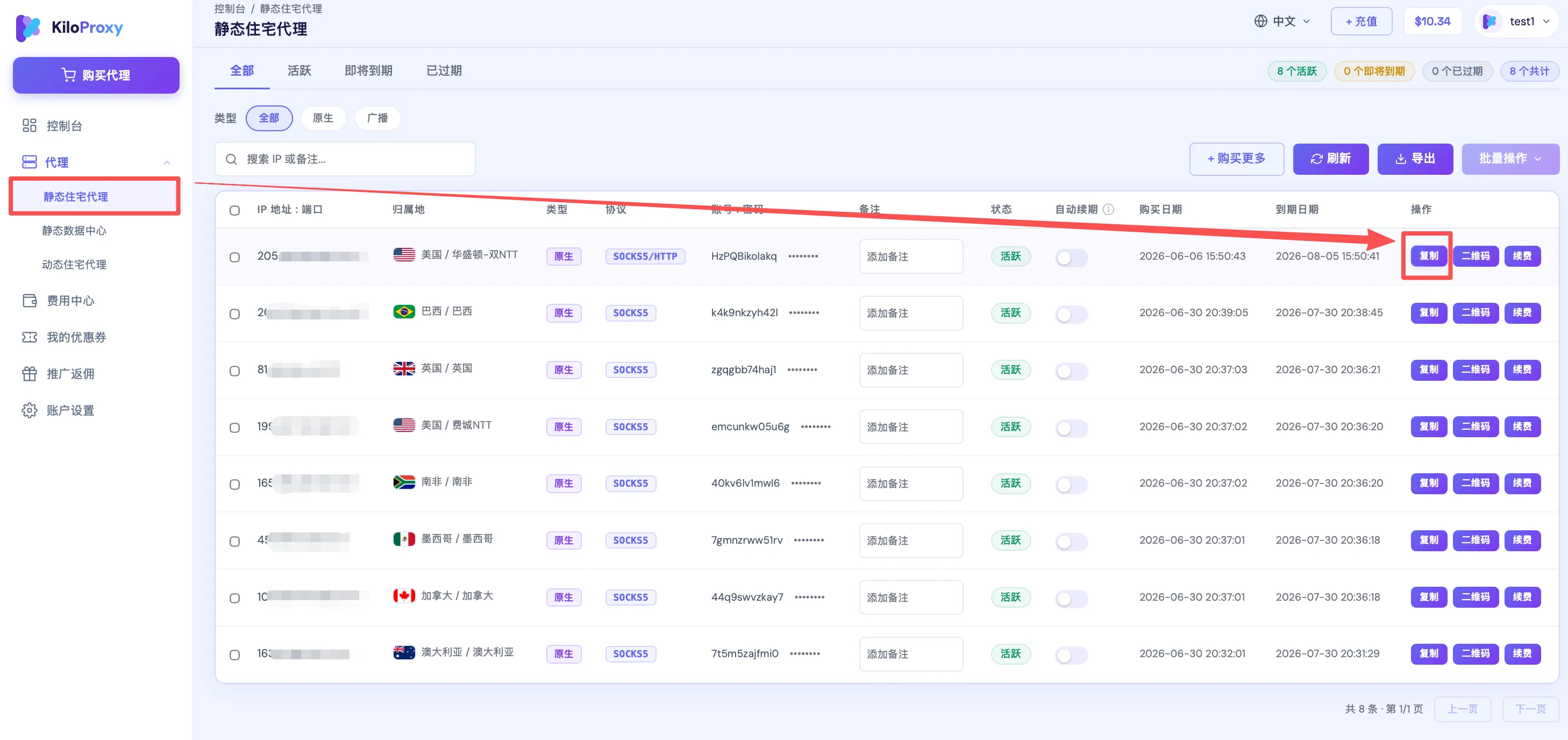
Step 1: Find the IP you want to configure in the proxy list, and click [Copy] to copy the IP information in one click.
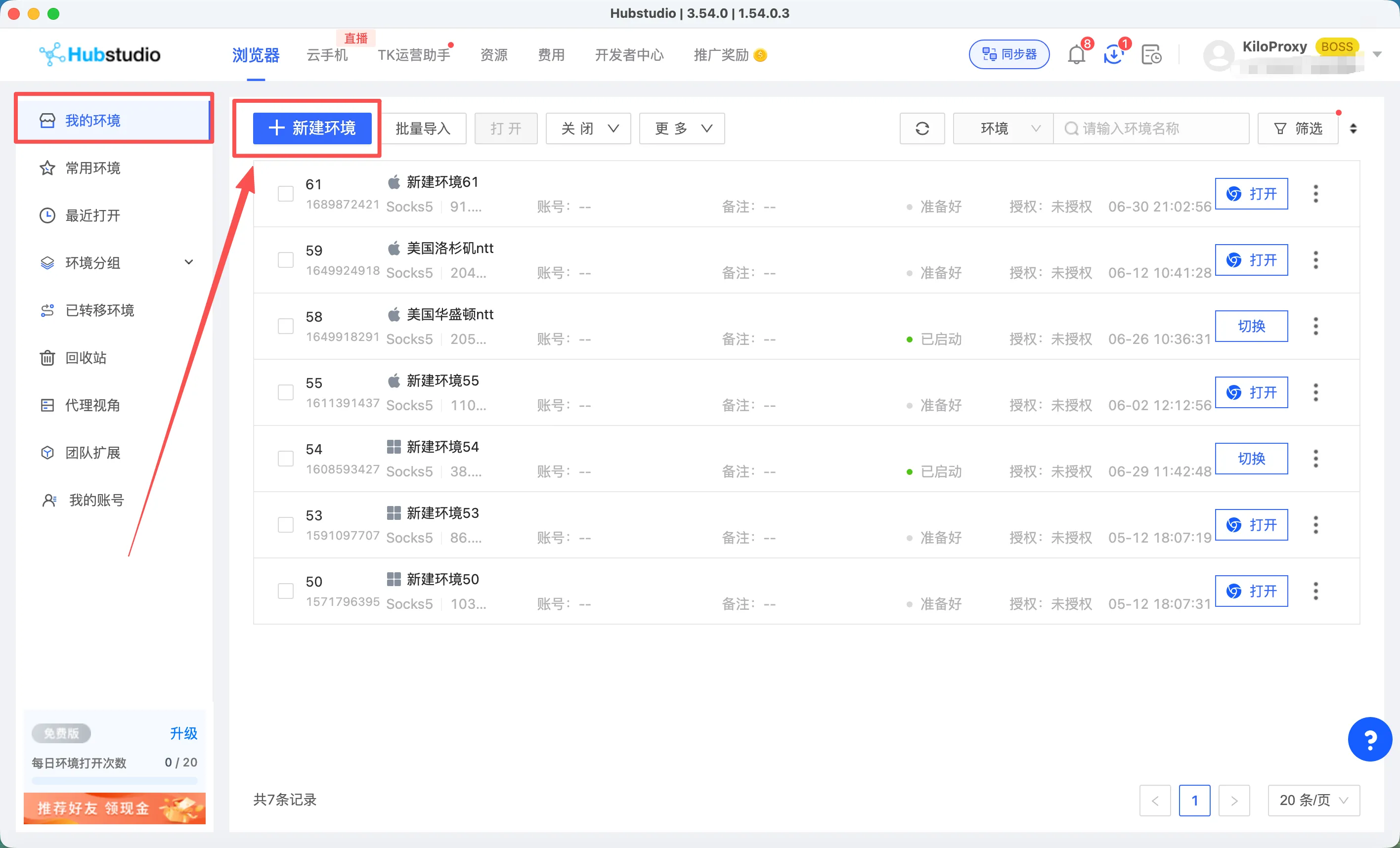
Step 2: Open the HubStudio fingerprint browser and click [New Profile].
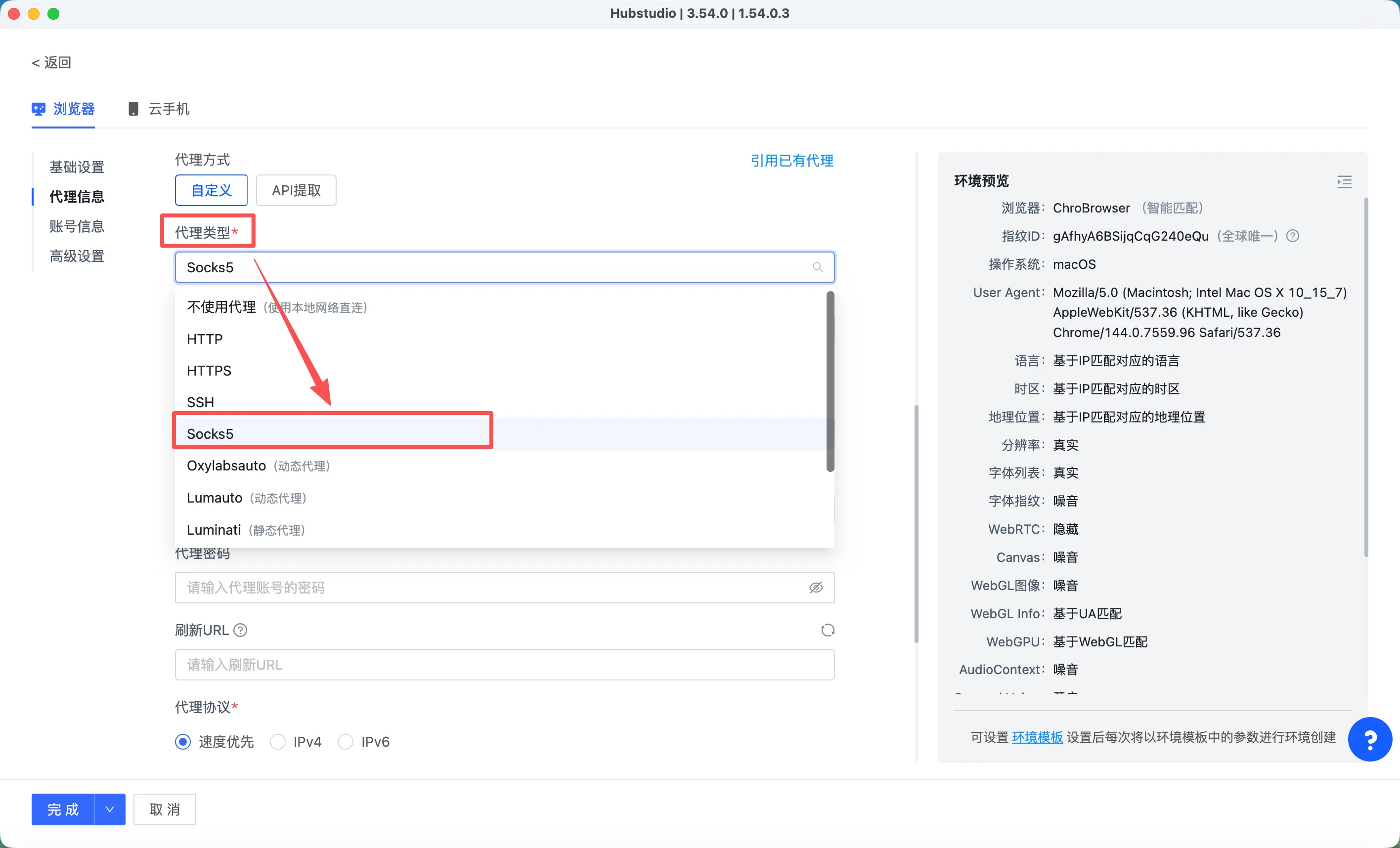
Step 3: For proxy type, choose [socks5].
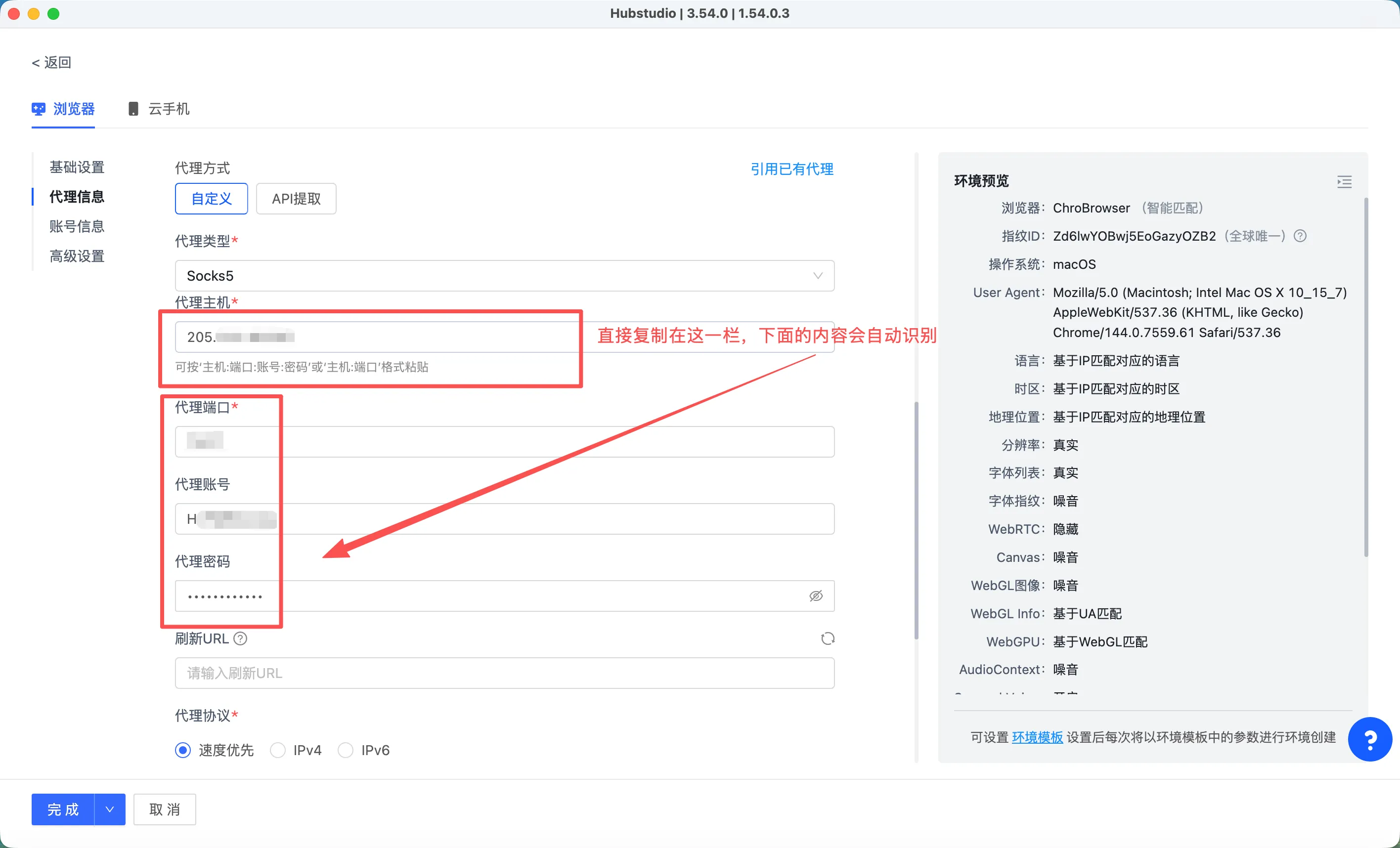
Step 4: Paste the copied IP information into the [Proxy Host] field; the other fields will be recognized and filled in automatically.
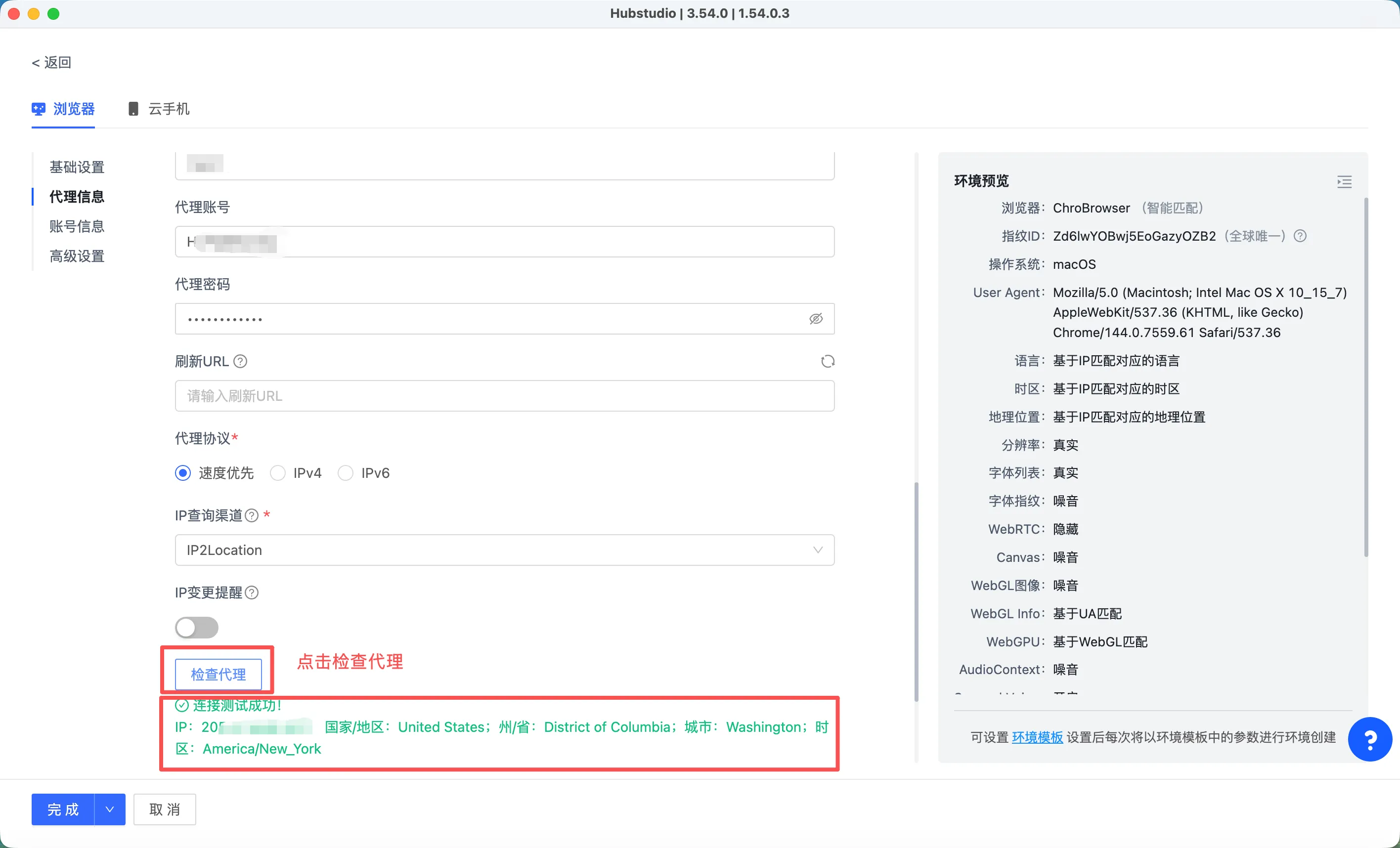
Step 5: Click [Check Proxy]. Once it shows the connection test succeeded, click [Finish] and the configuration is done — you can now use the browser normally. If it shows a connection failure, first check whether your computer's own network can access sites like Google. For any IP-related issues, please contact support.
If you have any questions during use, please contact KiloProxy official support on WeChat 👇