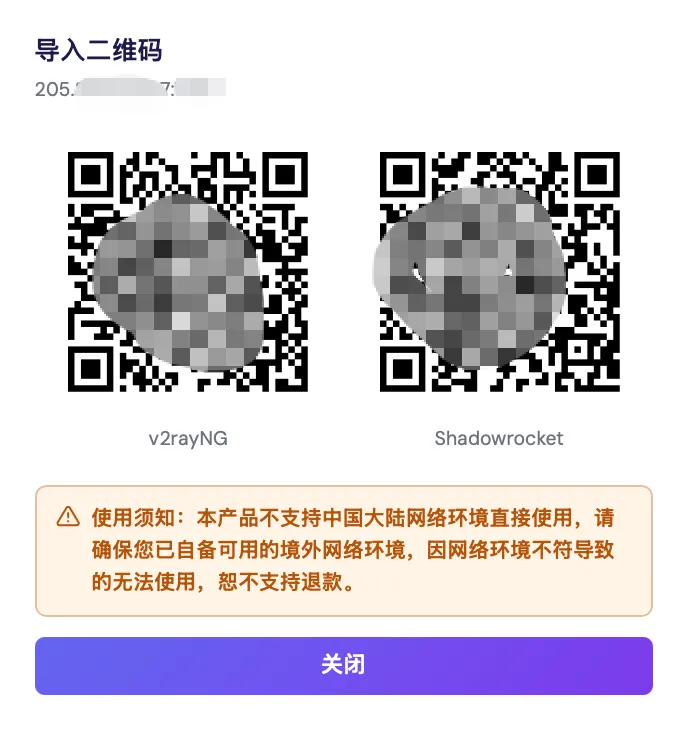
Usage notice: This product does not support direct use within mainland China's network environment. Please make sure you have your own working overseas network environment. No refunds will be issued for failures caused by an incompatible network environment.
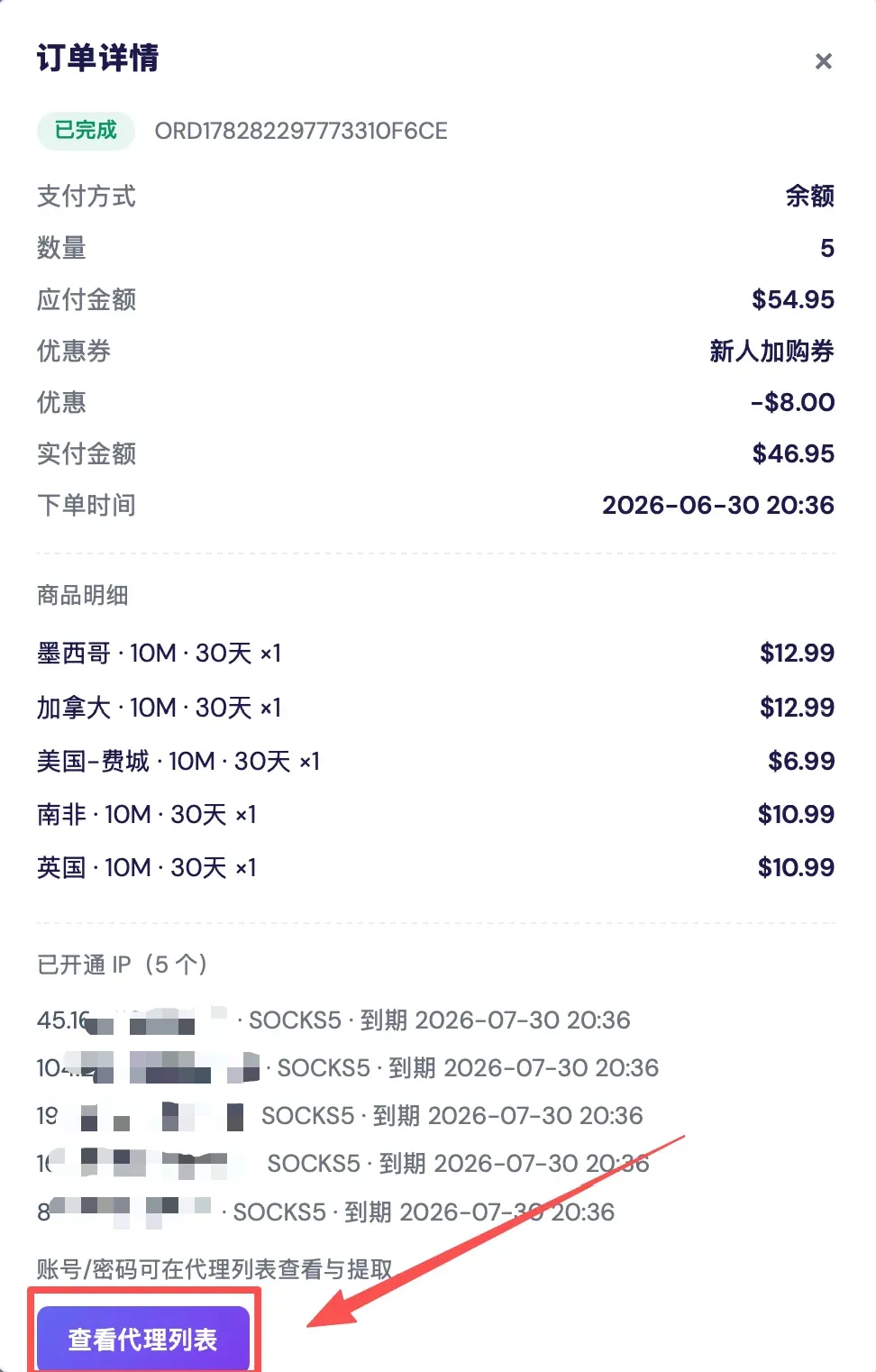
Method 1: After a successful order, go to [Billing Center], click the order [Details], then [View Proxy List].
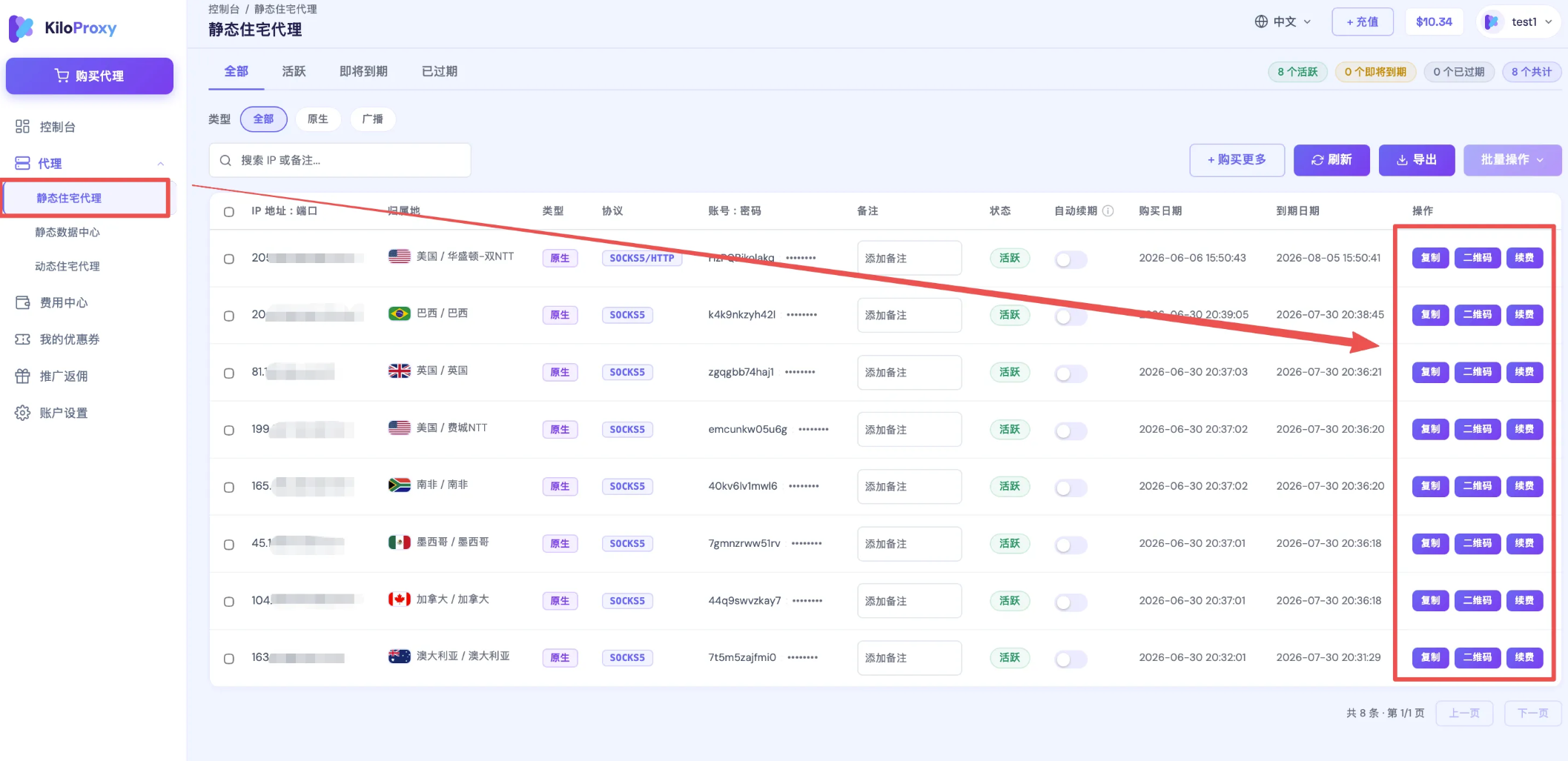
Method 2: View your IP information directly under [Proxy]. You can [Copy] the IP information to use it, or click [QR Code] to scan and configure.
Before scanning the QR code to configure, you need to have your own overseas network environment ready.
For IPs you use long-term, we recommend enabling [Auto-Renew]. Once enabled, please make sure your wallet balance is sufficient to avoid renewal failures that affect your normal use.
If you have any questions during use, please contact KiloProxy official support on WeChat 👇