Usage notice: This product does not support direct use within mainland China's network environment. Please make sure you have your own working overseas network environment. No refunds will be issued for failures caused by an incompatible network environment.
Step 1: Open the KiloProxy admin dashboard, find your proxy IP, and click [QR Code].
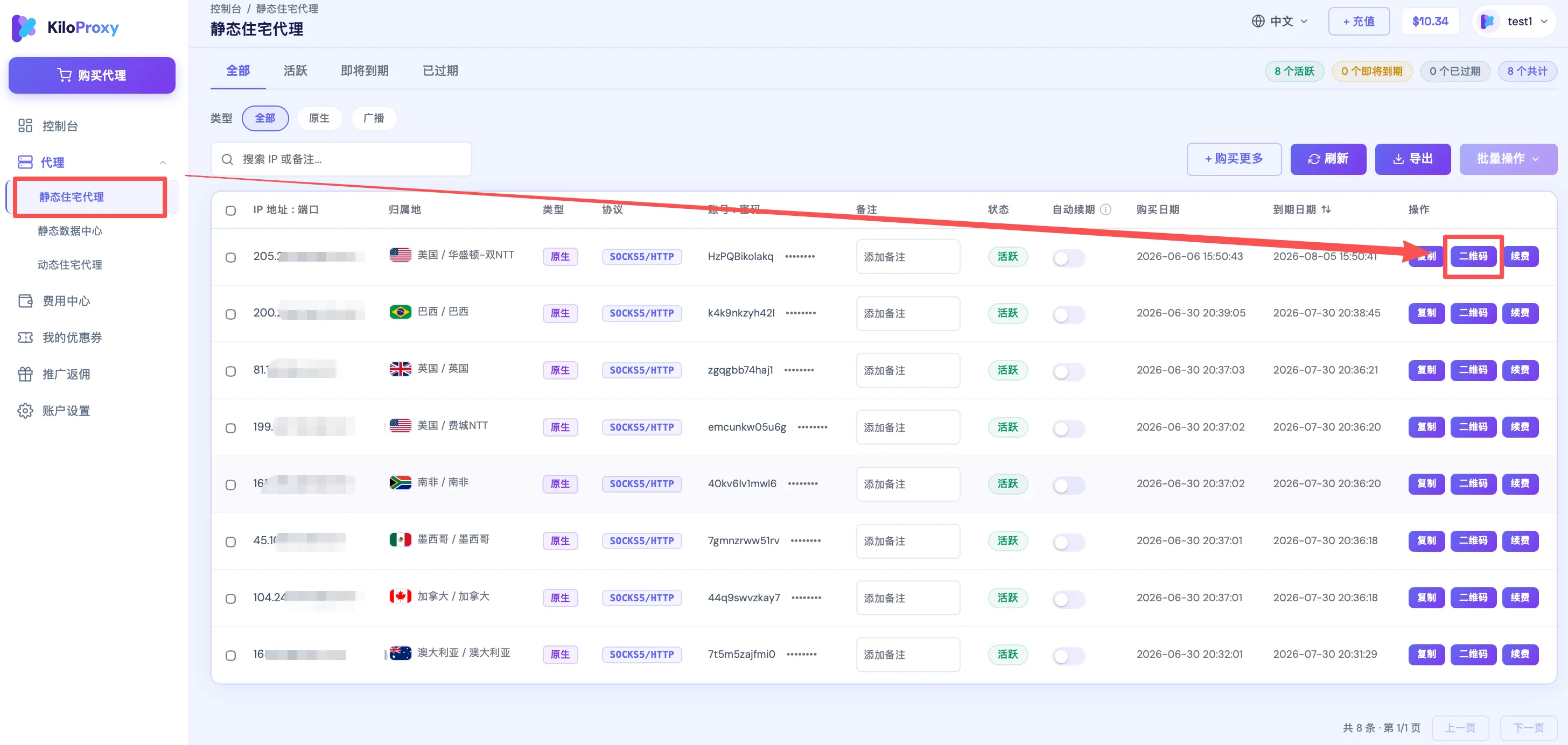
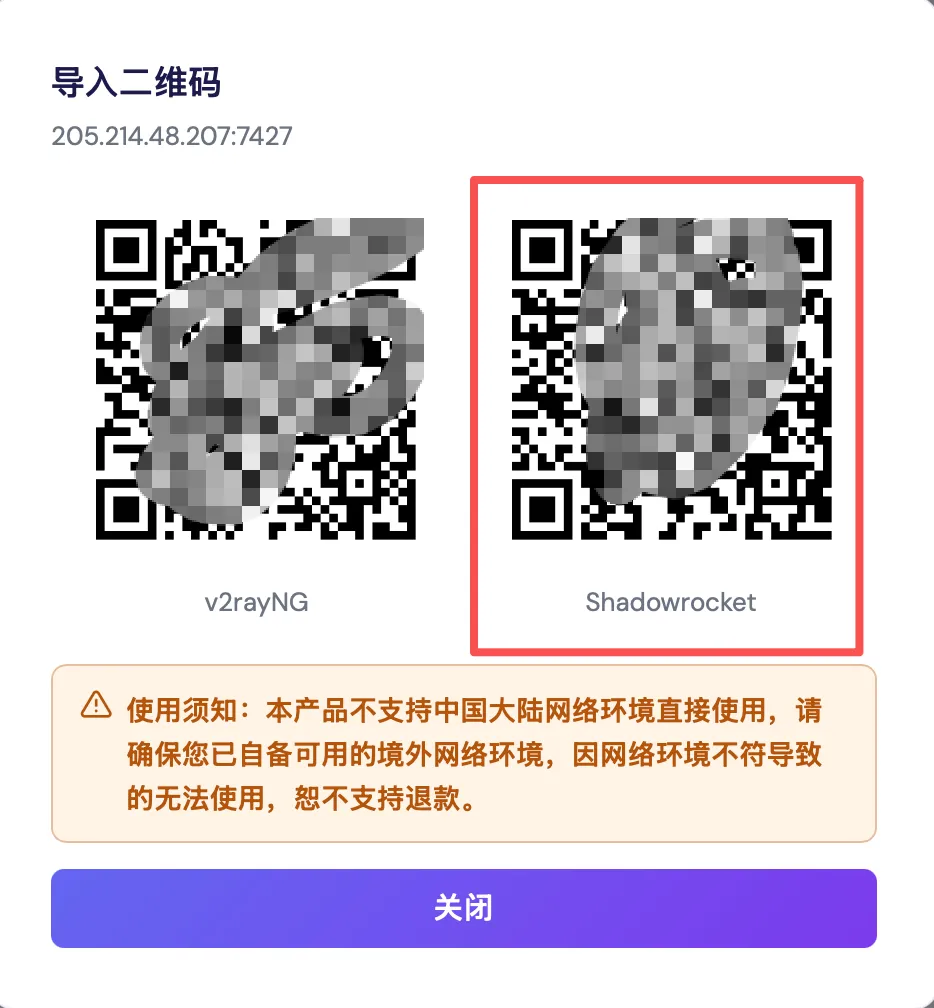
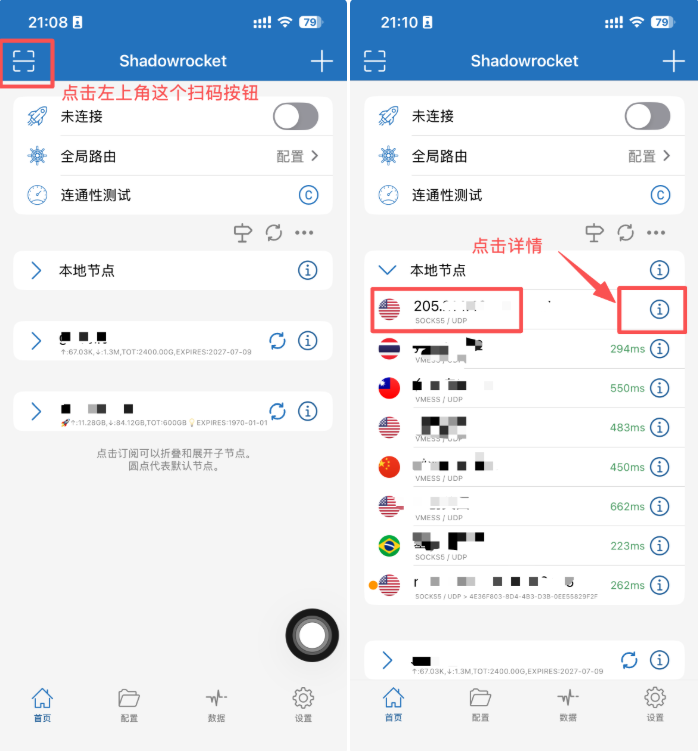
Step 2: Open the Shadowrocket app, tap the scan button in the top-left corner, and scan the QR code. After scanning, the proxy IP will automatically appear under your [Local Nodes]. Tap the [Details] button on the right.
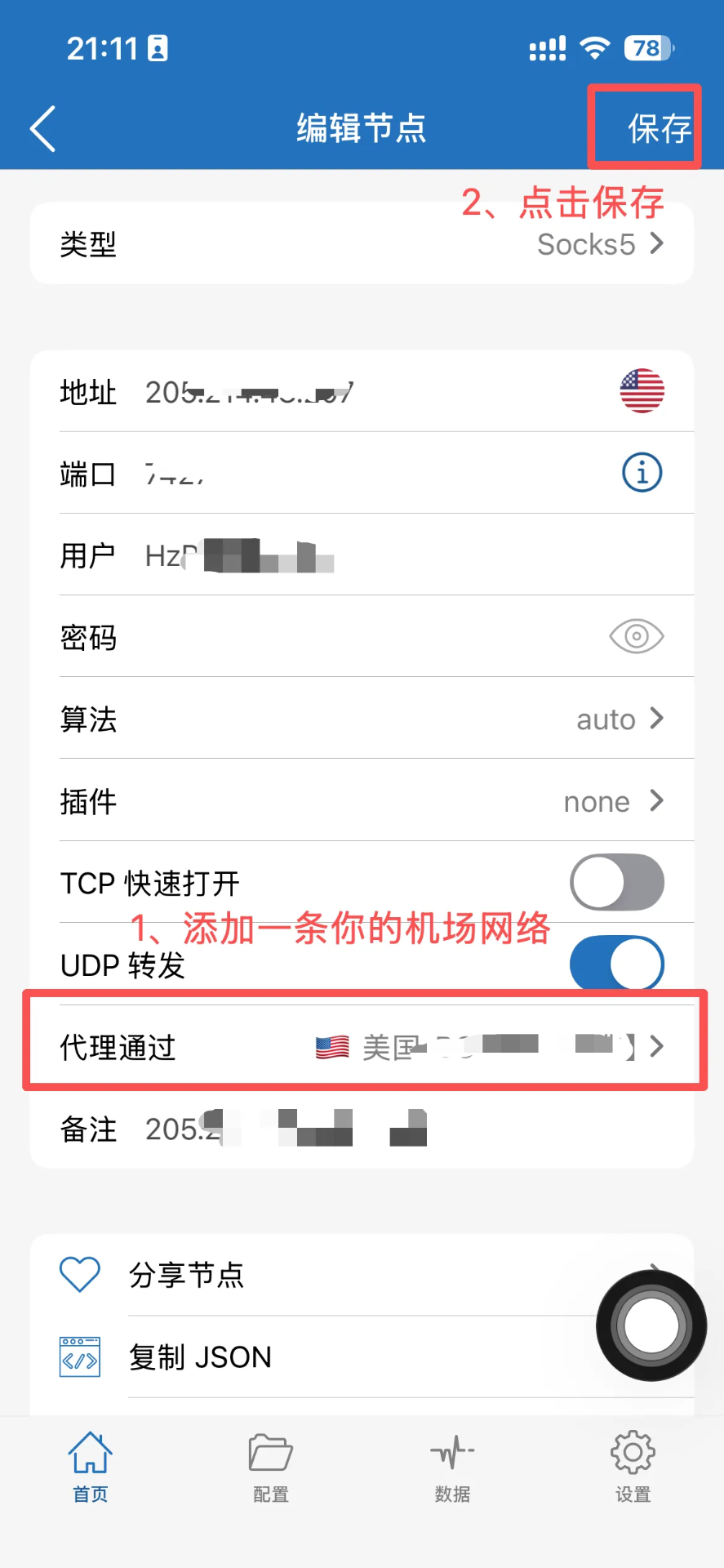
Step 3: Under [Proxy Through], add your airport (transit) network here.
Step 4: Select the IP imported via QR code, change [Global Routing] to Proxy, change the "T" on the third line to "C", and tap [Connectivity Test]. When a latency value appears to the right of the IP, the configuration is successful.
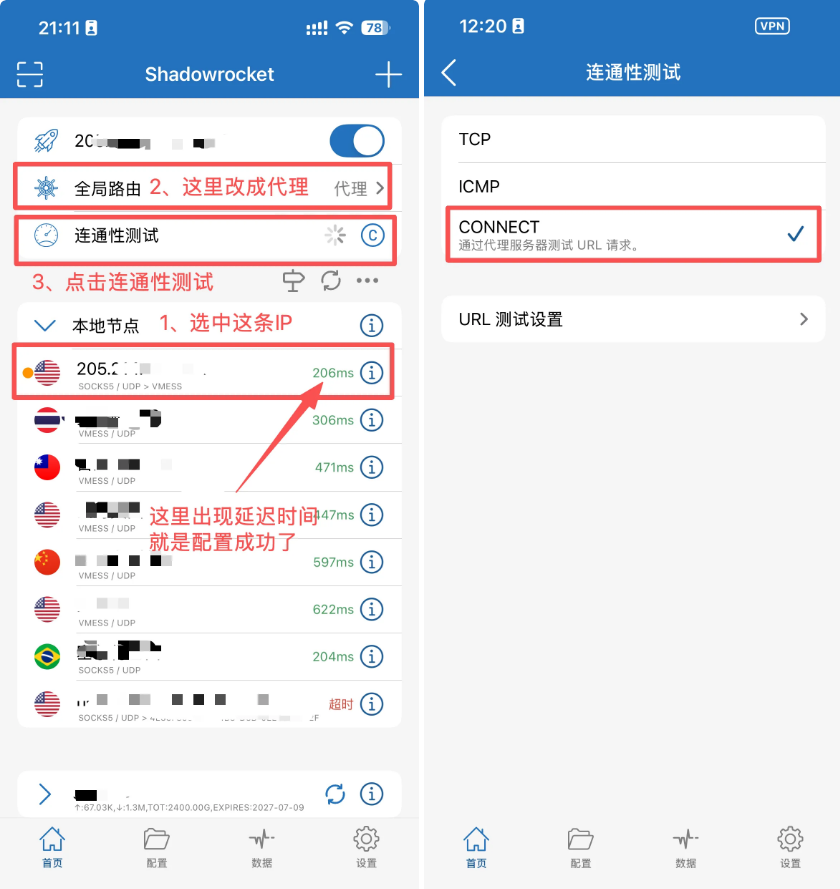
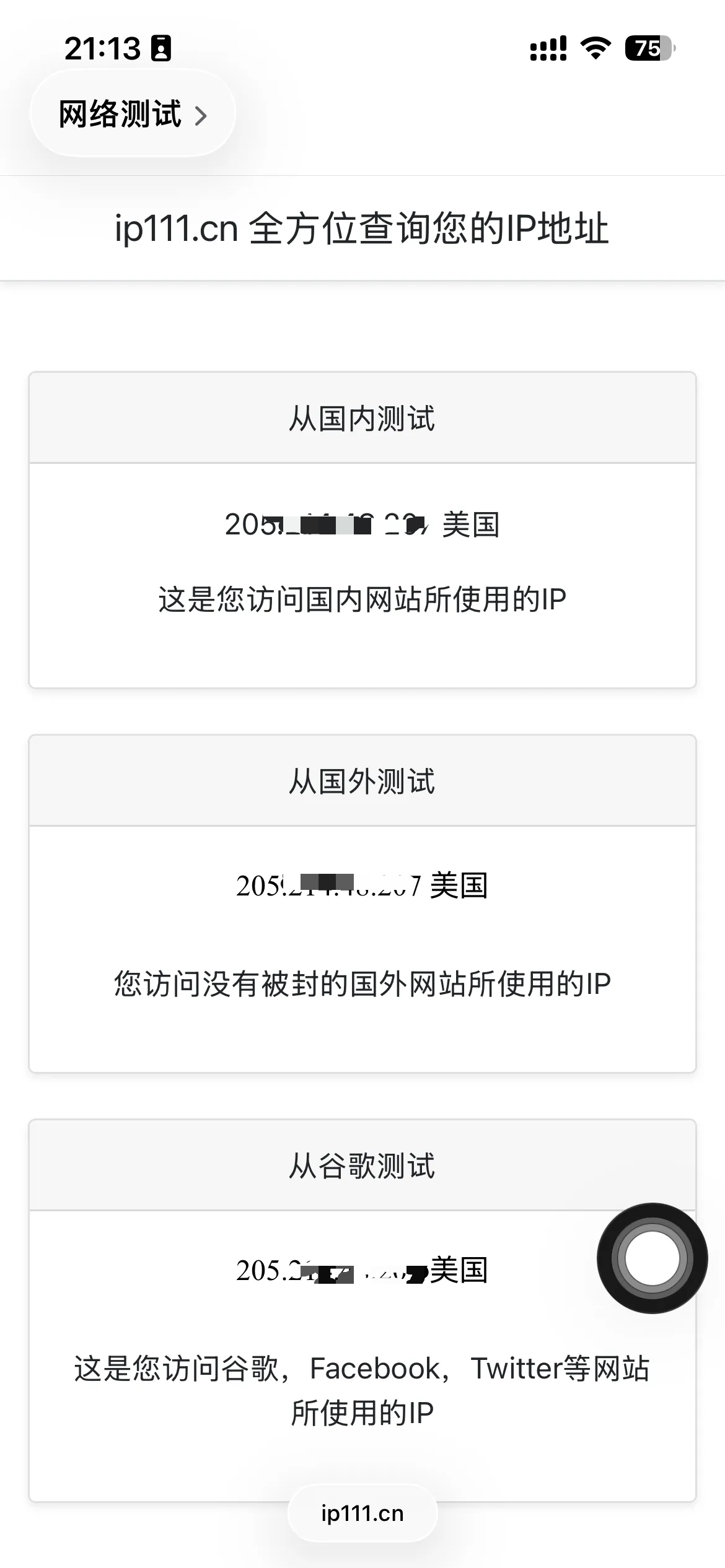
Finally, open the website IP111.cn to check whether the IP shown is the one you configured; you can also open Google to check whether you have internet access.
If you have any questions during use, please contact KiloProxy official support on WeChat 👇