Usage notice: This product does not support direct use within mainland China's network environment. Please make sure you have your own working overseas network environment. No refunds will be issued for failures caused by an incompatible network environment.
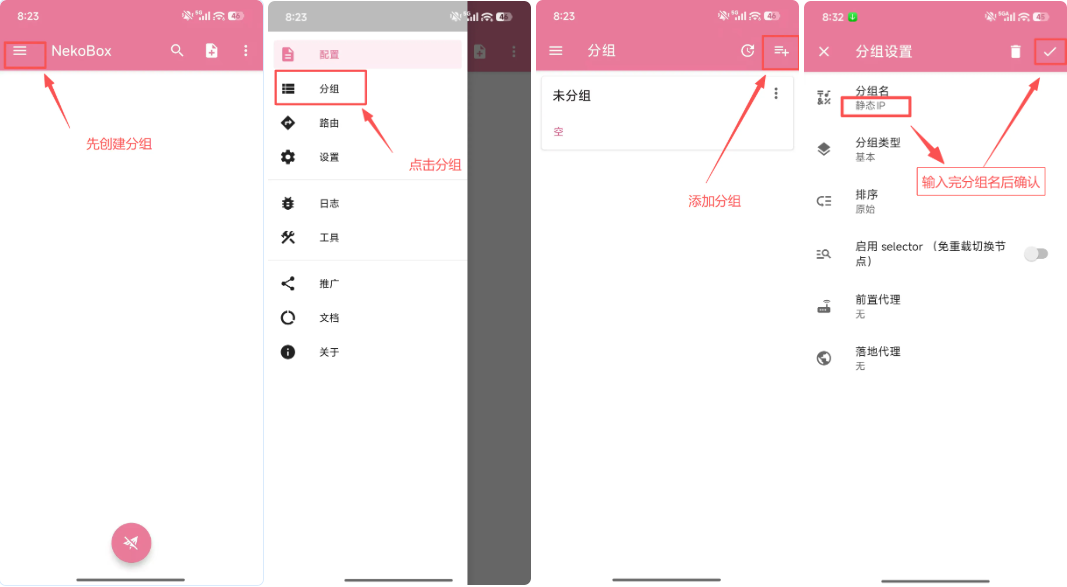
Step 1: Open NekoBox, first create a group and enter a [Group Name].
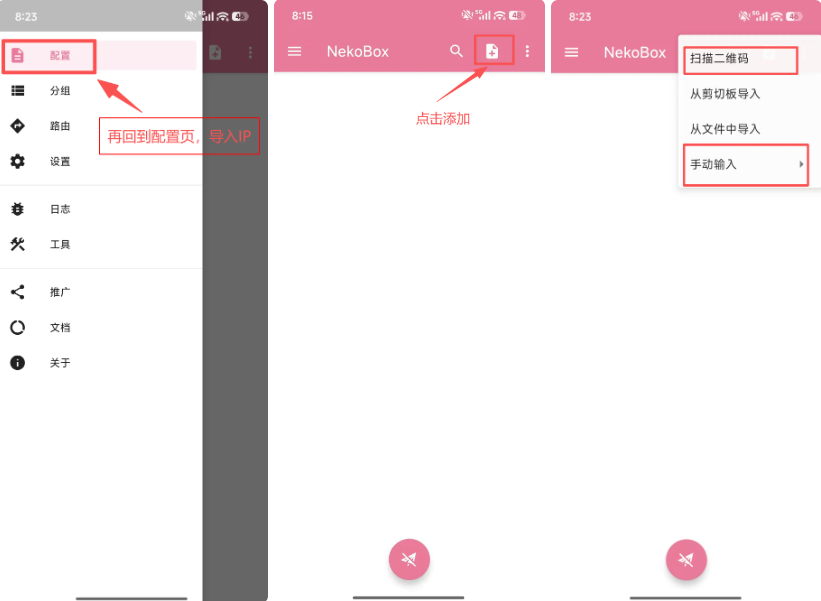
Step 2: Tap [Config], then tap the + in the top-right corner. You'll see four import methods; we generally use the first and the fourth. We recommend [Scan QR Code] as it's more convenient and avoids input errors.
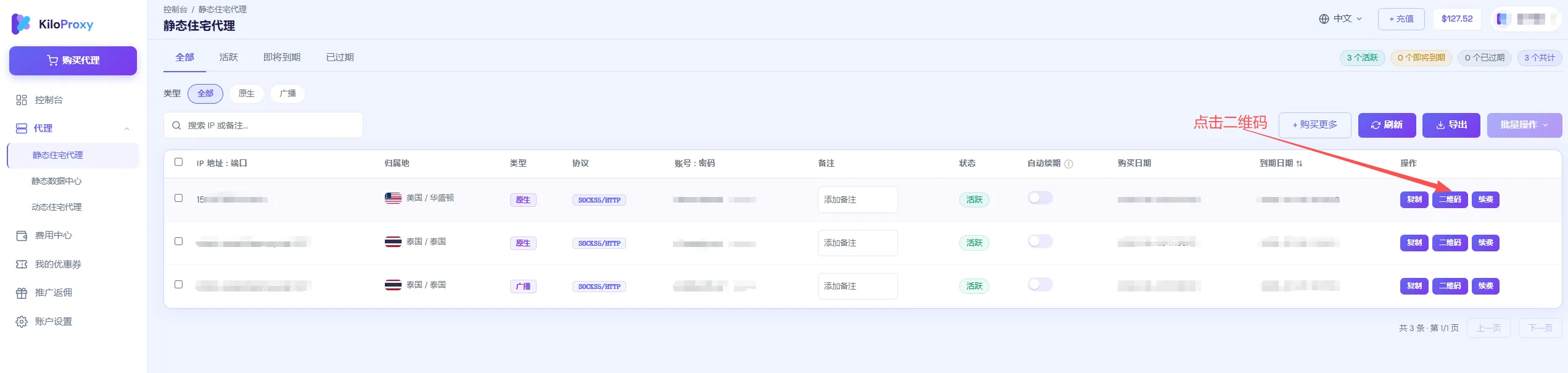
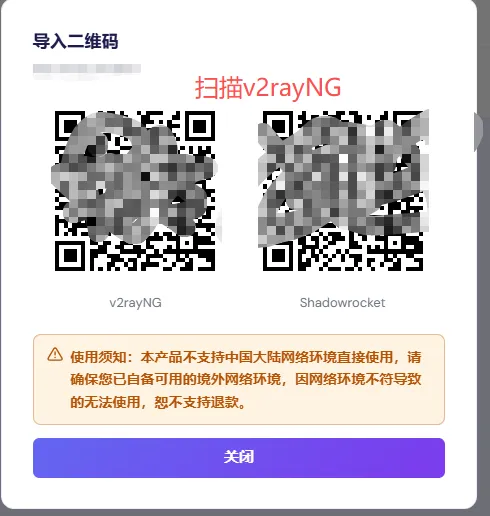
Step 3: Open the KiloProxy admin dashboard, find your proxy IP, and click [QR Code] to scan.
You can also enter it manually. After a successful import, your current configured IP will be displayed.
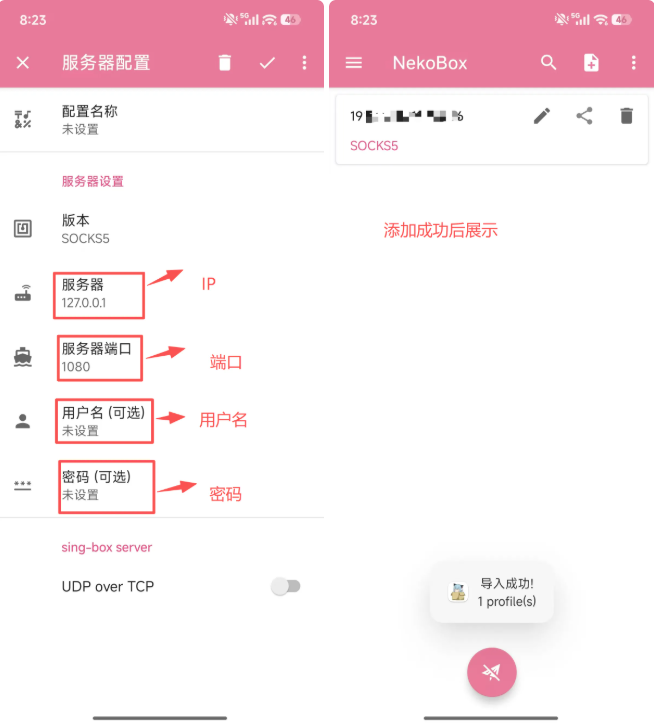
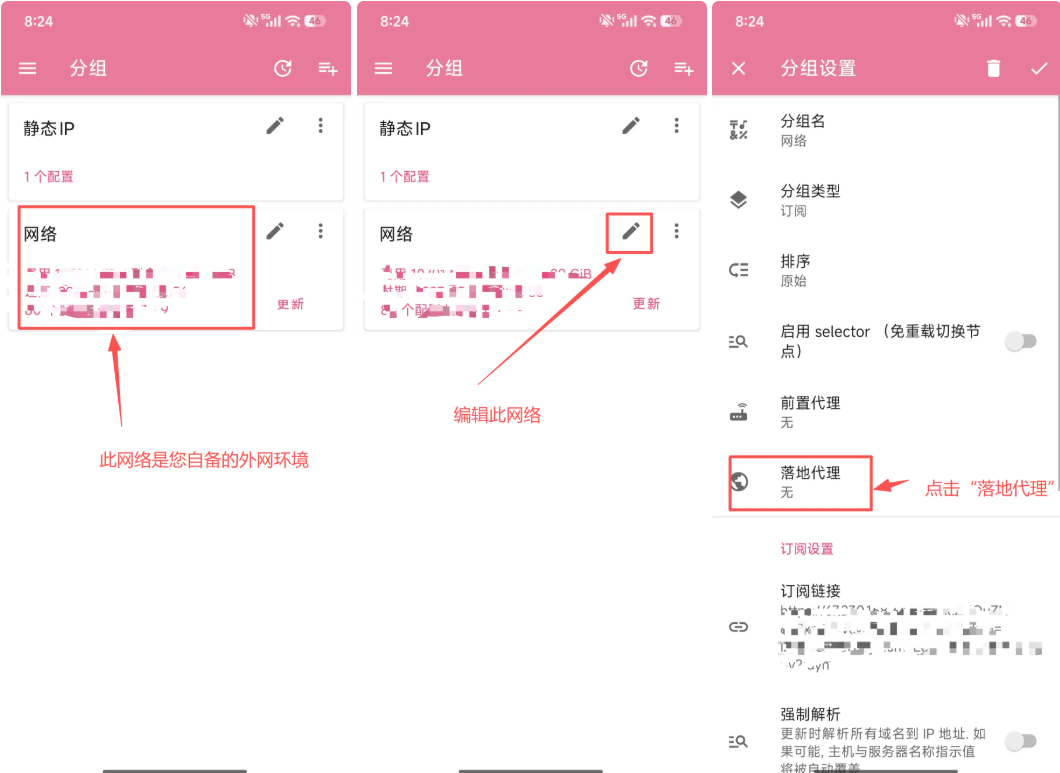
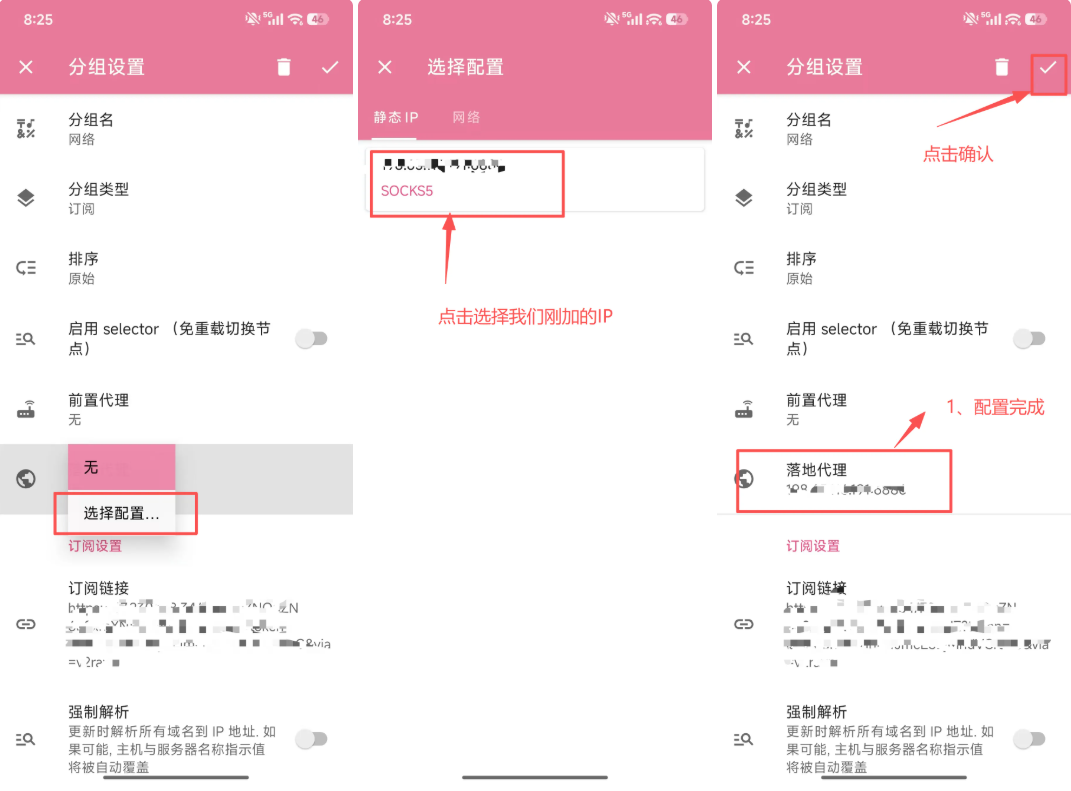
Step 4: Set the IP you want to configure as the [Landing IP].
Step 5: Go back to [Config] and choose any network from your own airport (transit) network — prefer a nearby country or low latency. Tap the small paper-plane icon below; when it shows a successful connection with a latency value, the configuration is successful.
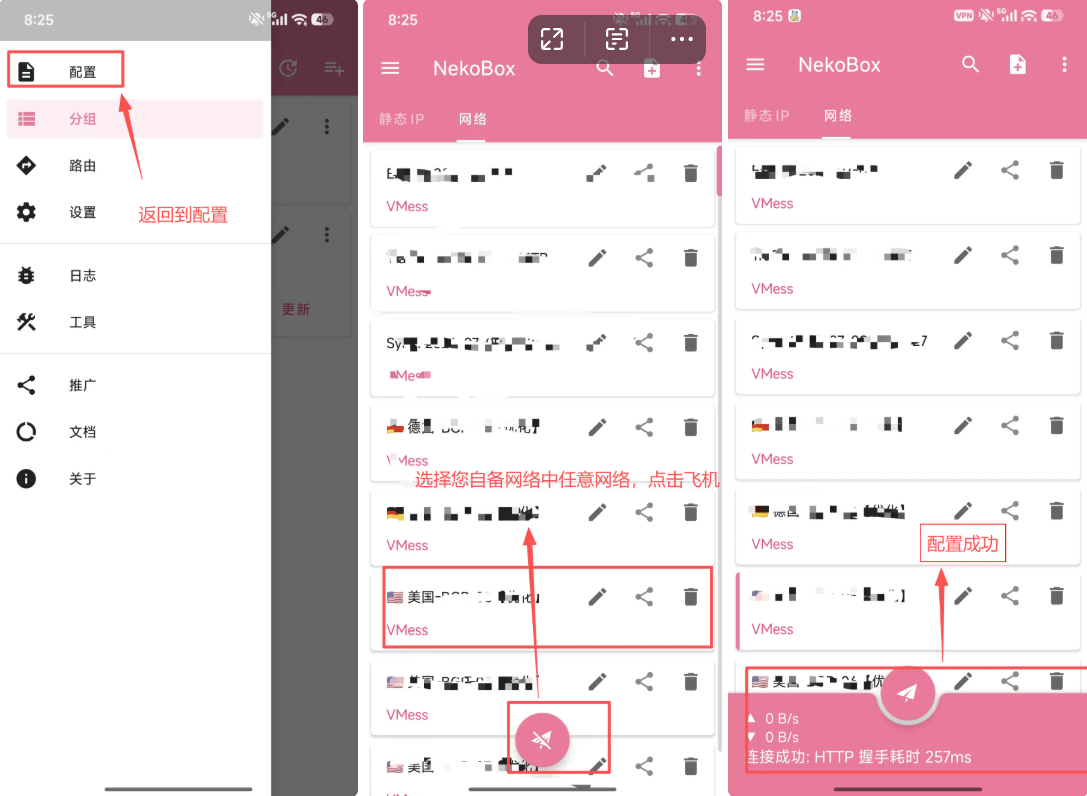
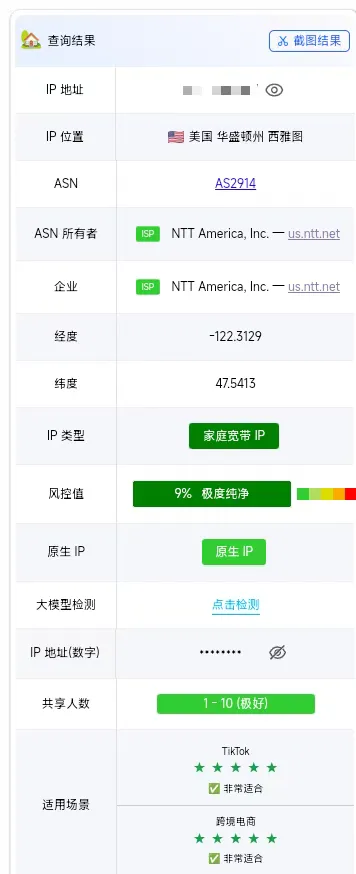
Finally, open the website ping0.cc to check whether the IP shown is the one you configured; you can also open Google to check whether you have internet access.
If you have any questions during use, please contact KiloProxy official support on WeChat 👇